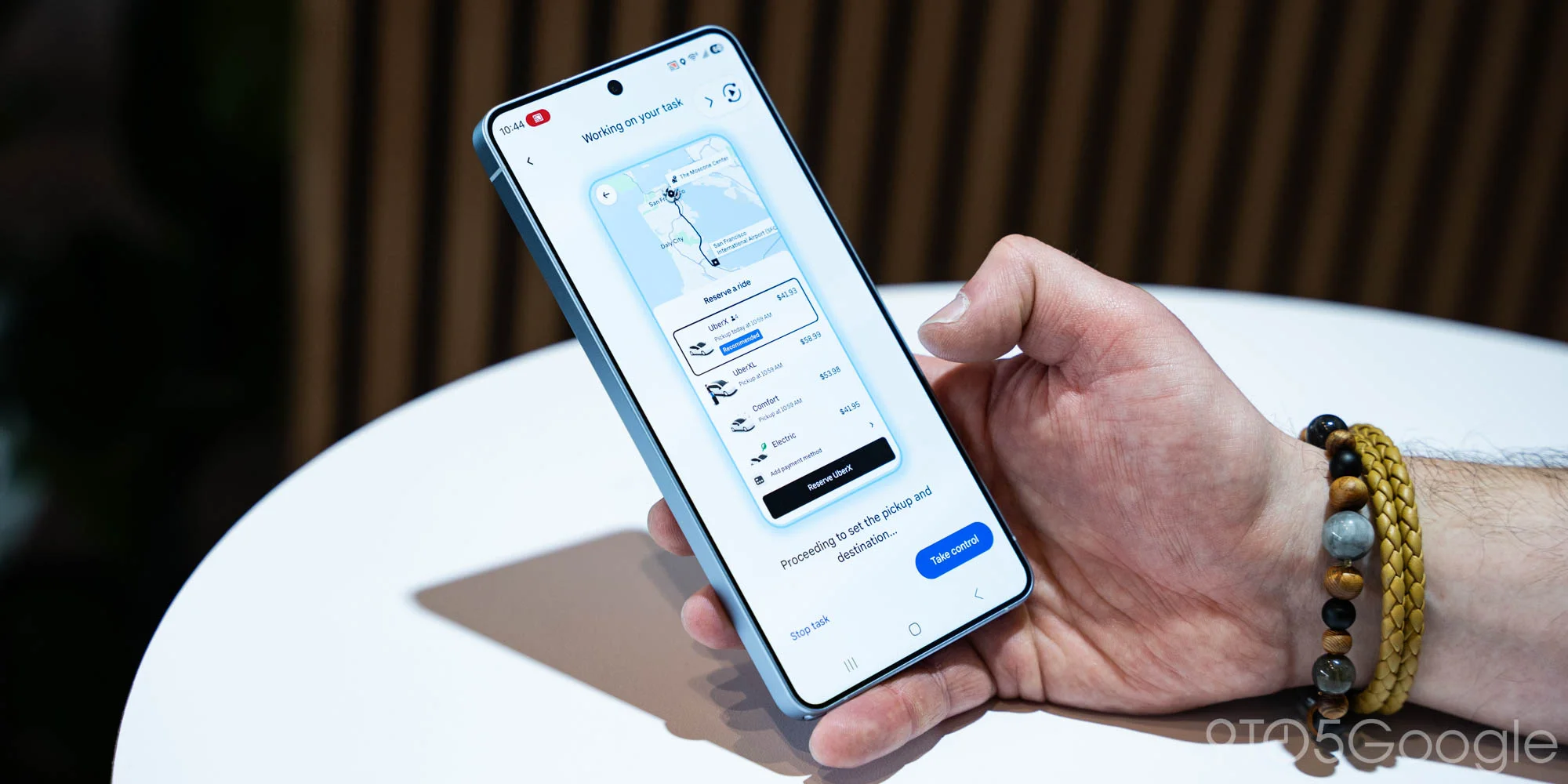
Google's Gemini assistant has taken a significant leap forward in practical utility with screen automation now available on Pixel 10 devices. The feature, which debuted on Samsung's Galaxy S26 just last week, allows the AI to complete real-world tasks like booking rides and ordering food by directly interacting with third-party apps on your behalf.
This marks a fundamental shift in how AI assistants operate on smartphones. Rather than simply providing information or opening apps for you, Gemini can now navigate through app interfaces, fill in forms, and complete transactions—all through natural language commands.
How Screen Automation Actually Works
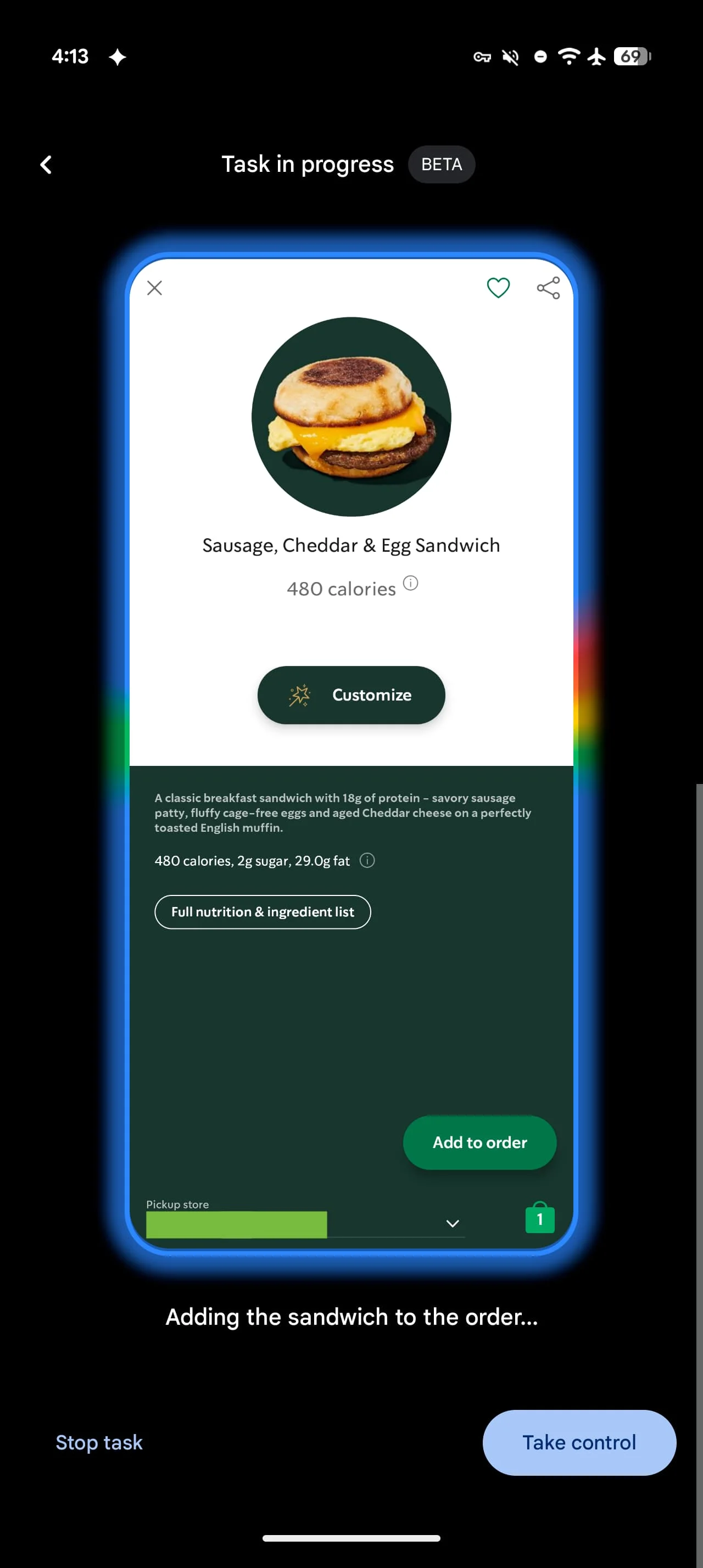
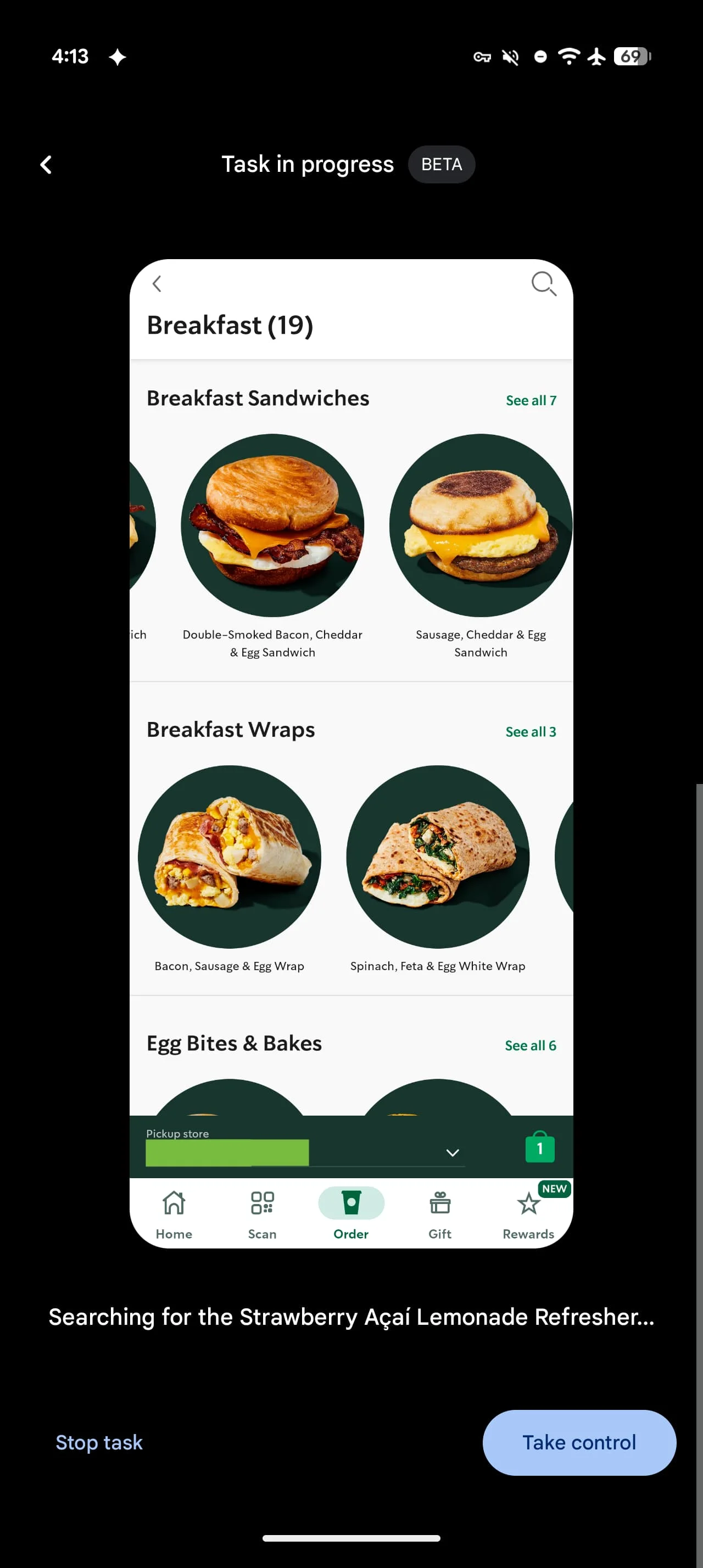
The technology operates through what Google calls a "secure virtual window" with cloud-based processing. When you issue a command like "Book a ride to the airport" or "Order pizza for delivery," Gemini doesn't just hand you off to the relevant app. Instead, it actively navigates the interface, selecting options and filling in details based on your request and follow-up responses.
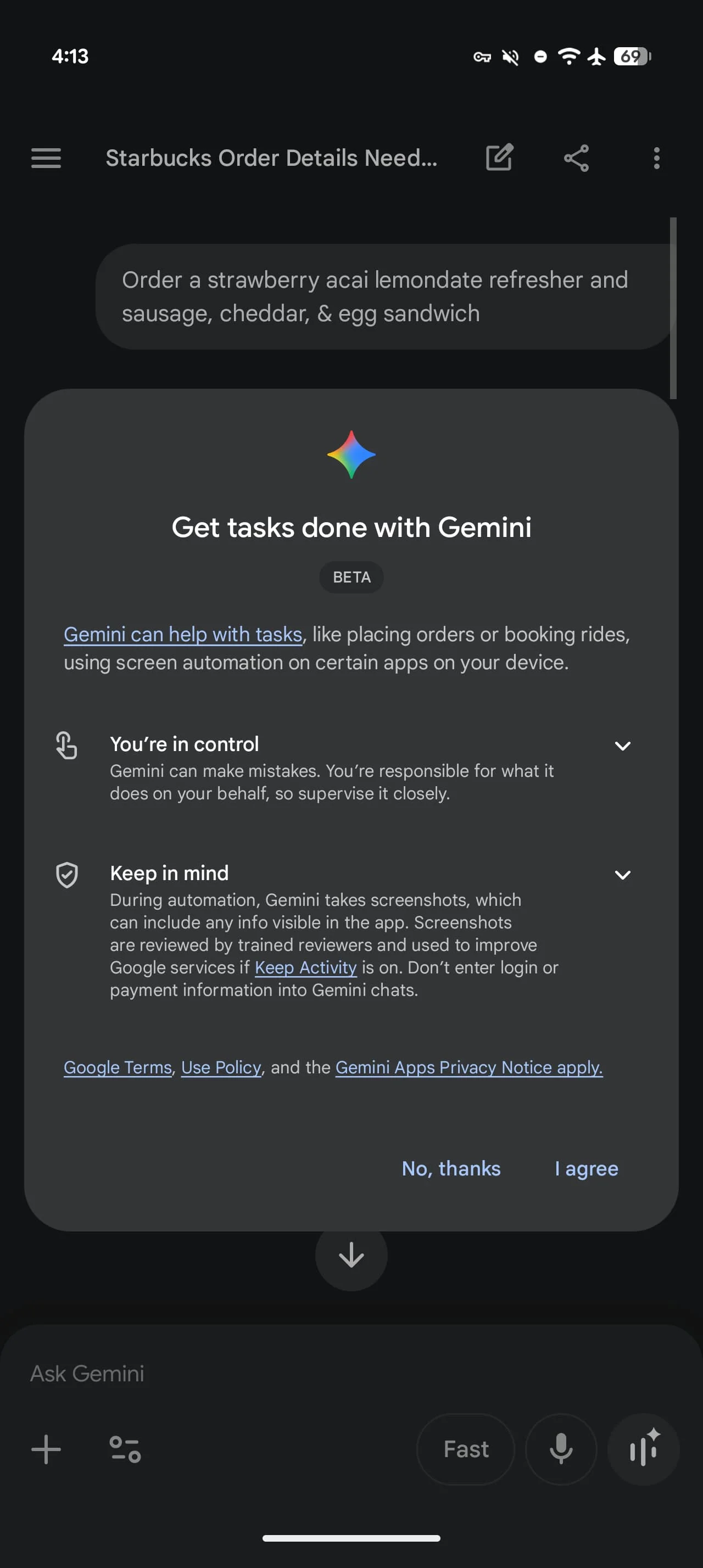
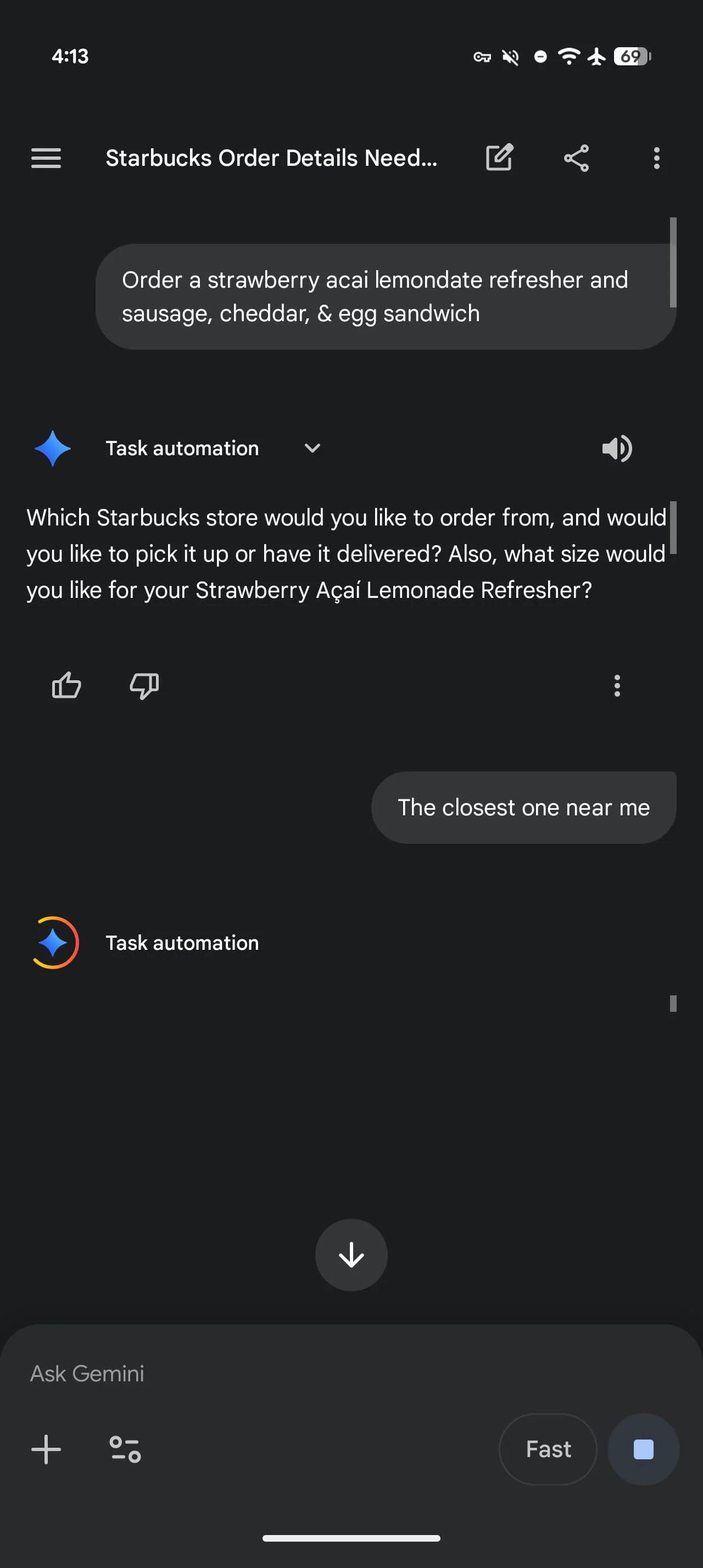
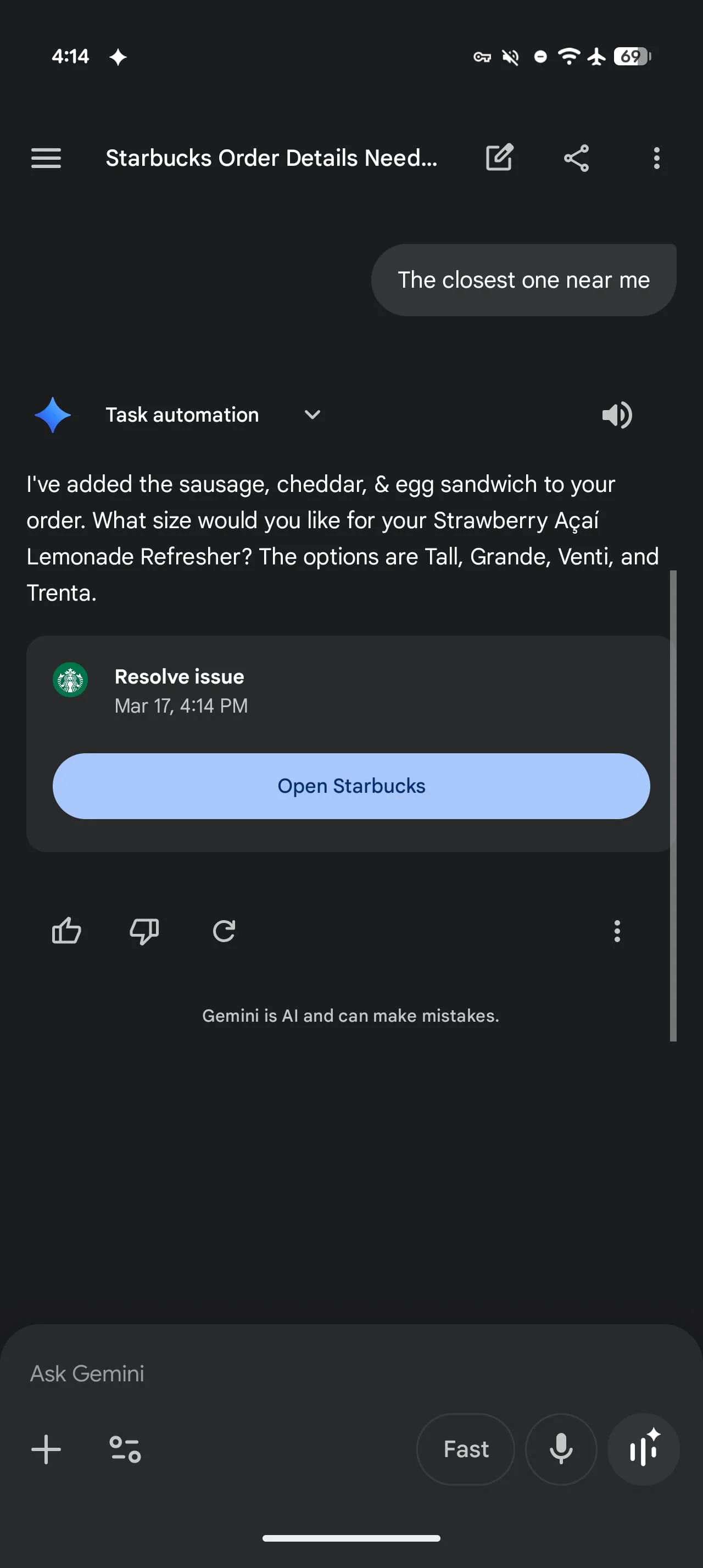
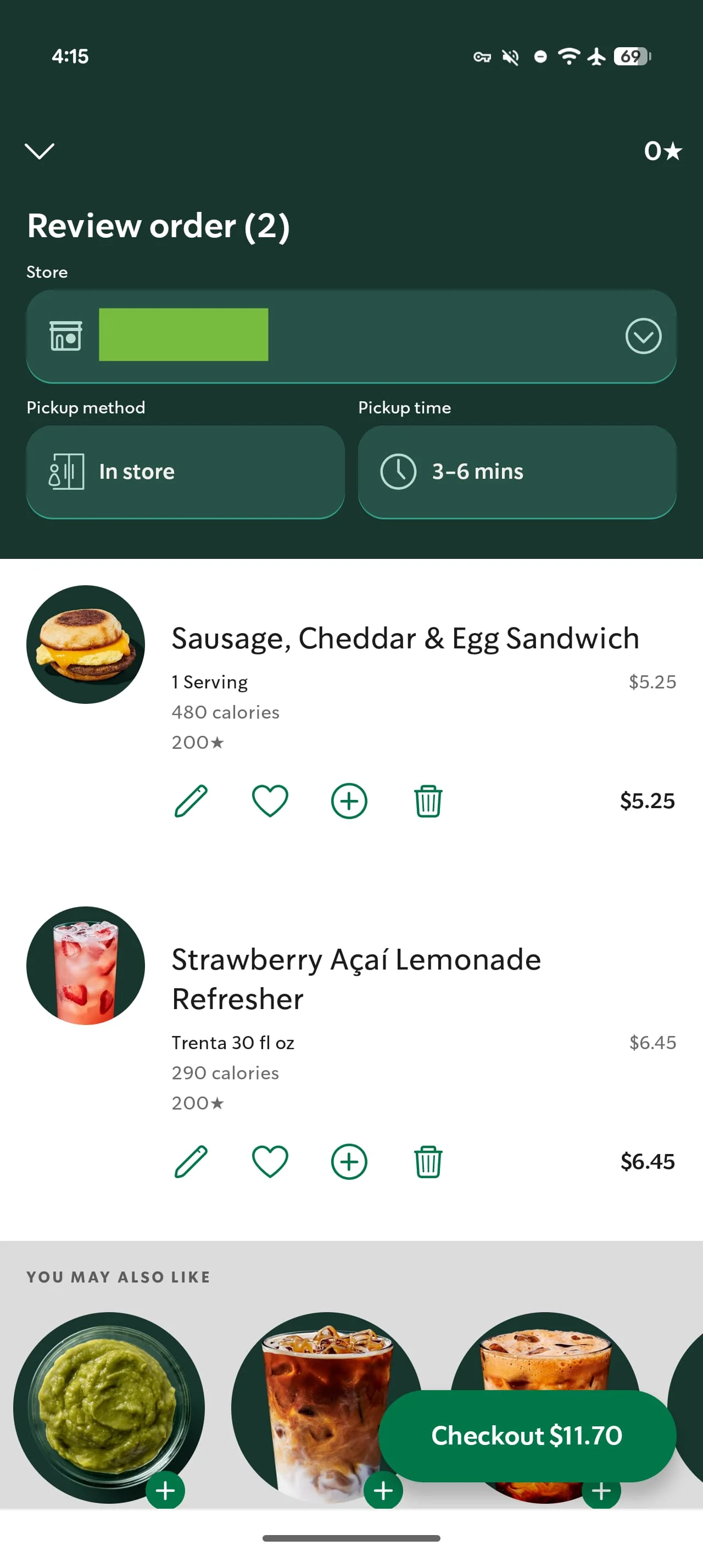
The system currently supports major service apps including Lyft, Uber, Uber Eats, GrubHub, DoorDash, and Starbucks. You can issue straightforward commands or get highly specific—asking for "a strawberry acai lemonade refresher and sausage, cheddar, & egg sandwich" will prompt Gemini to parse each item and place the order accordingly.
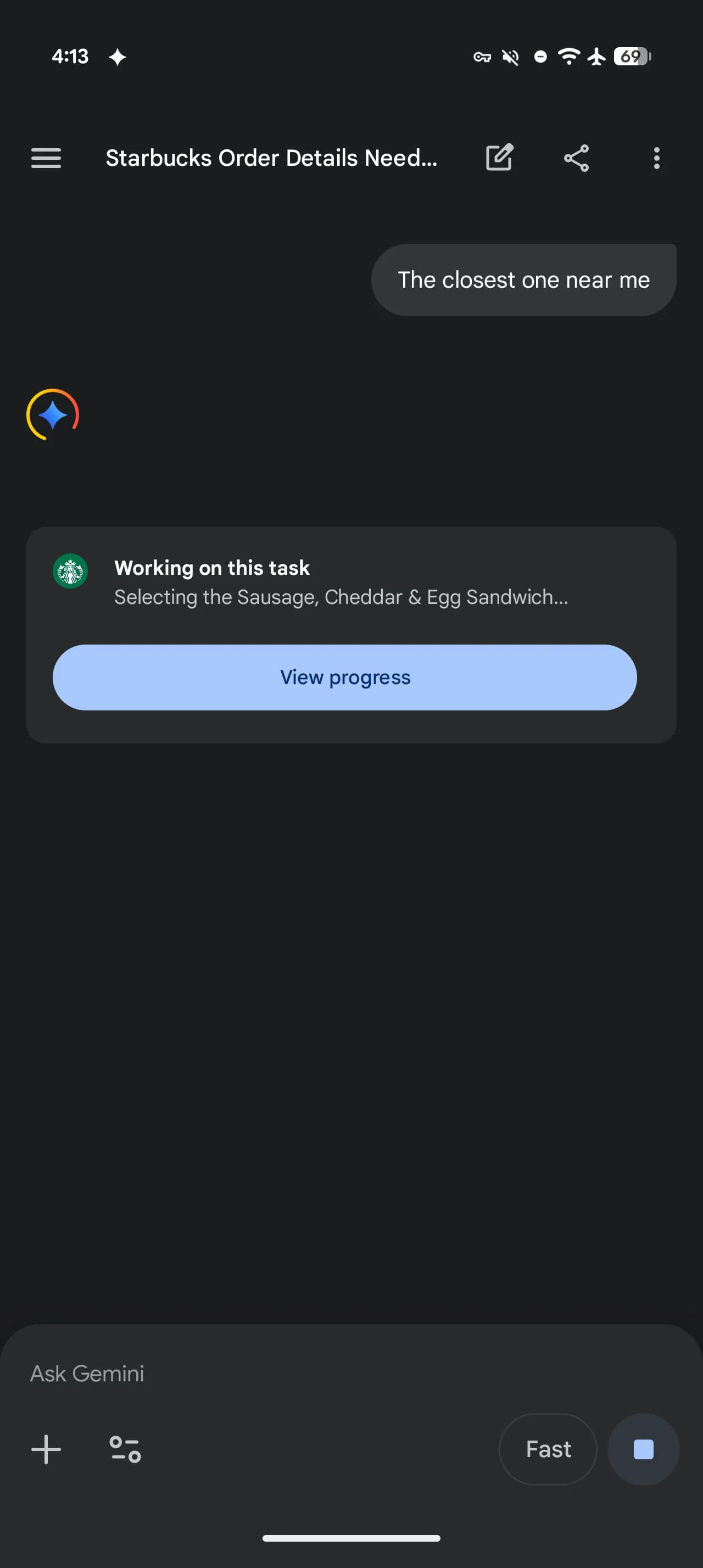
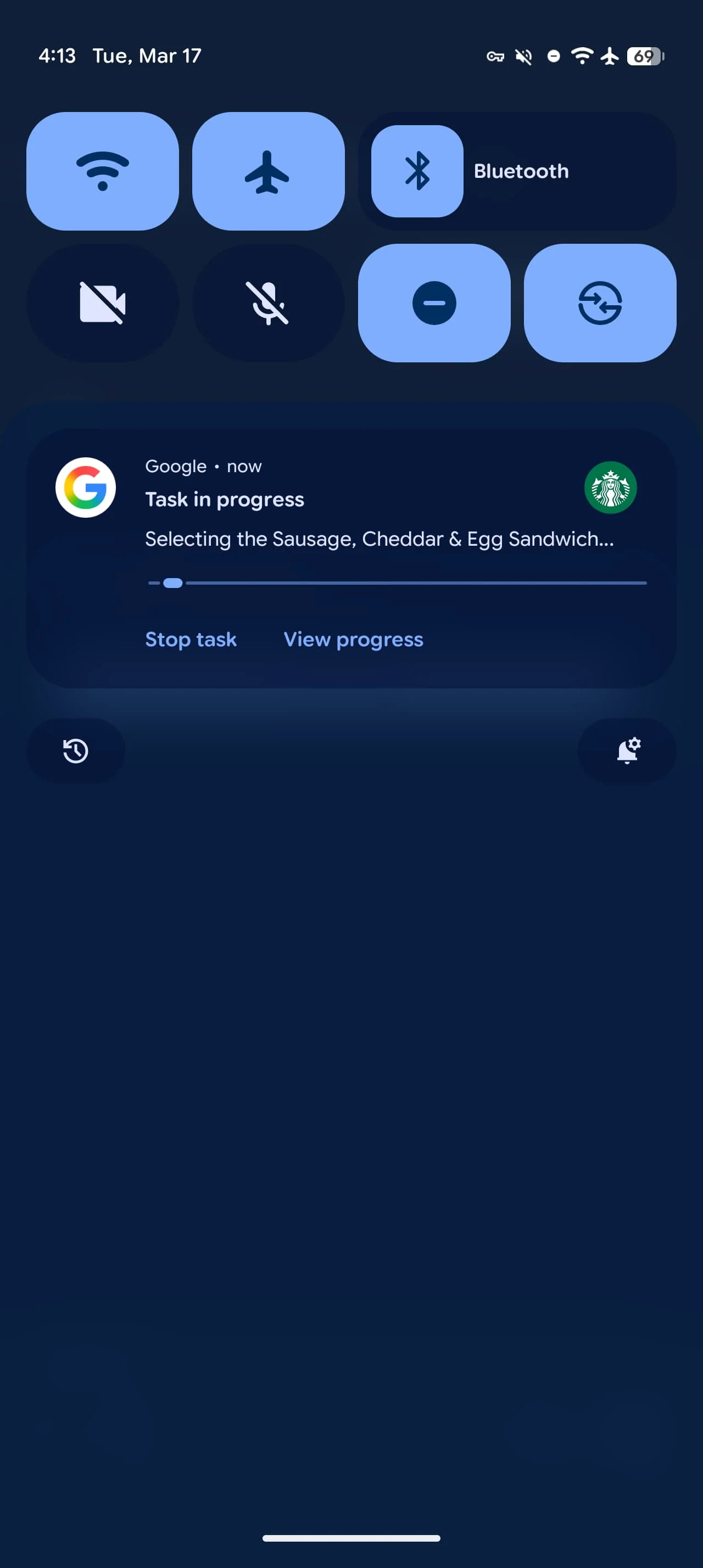
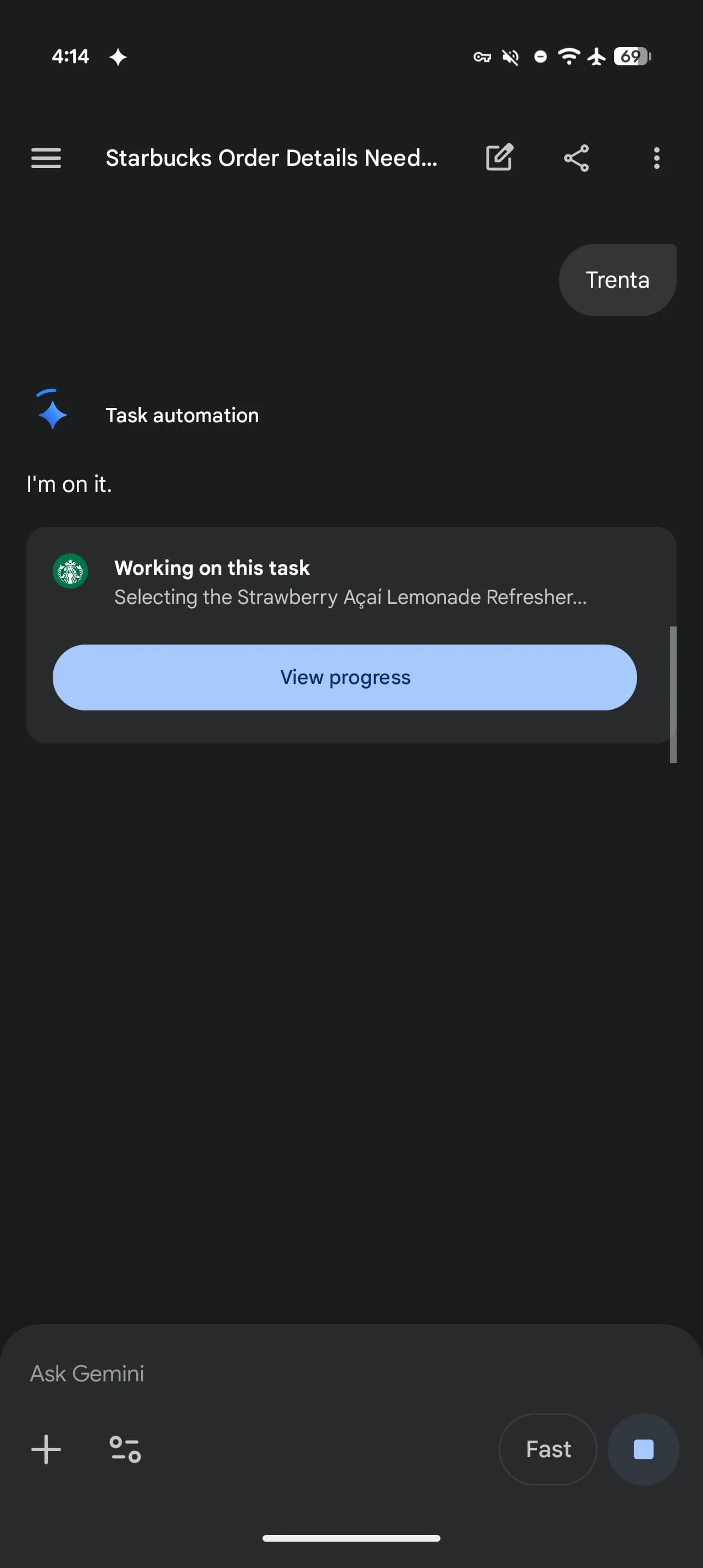
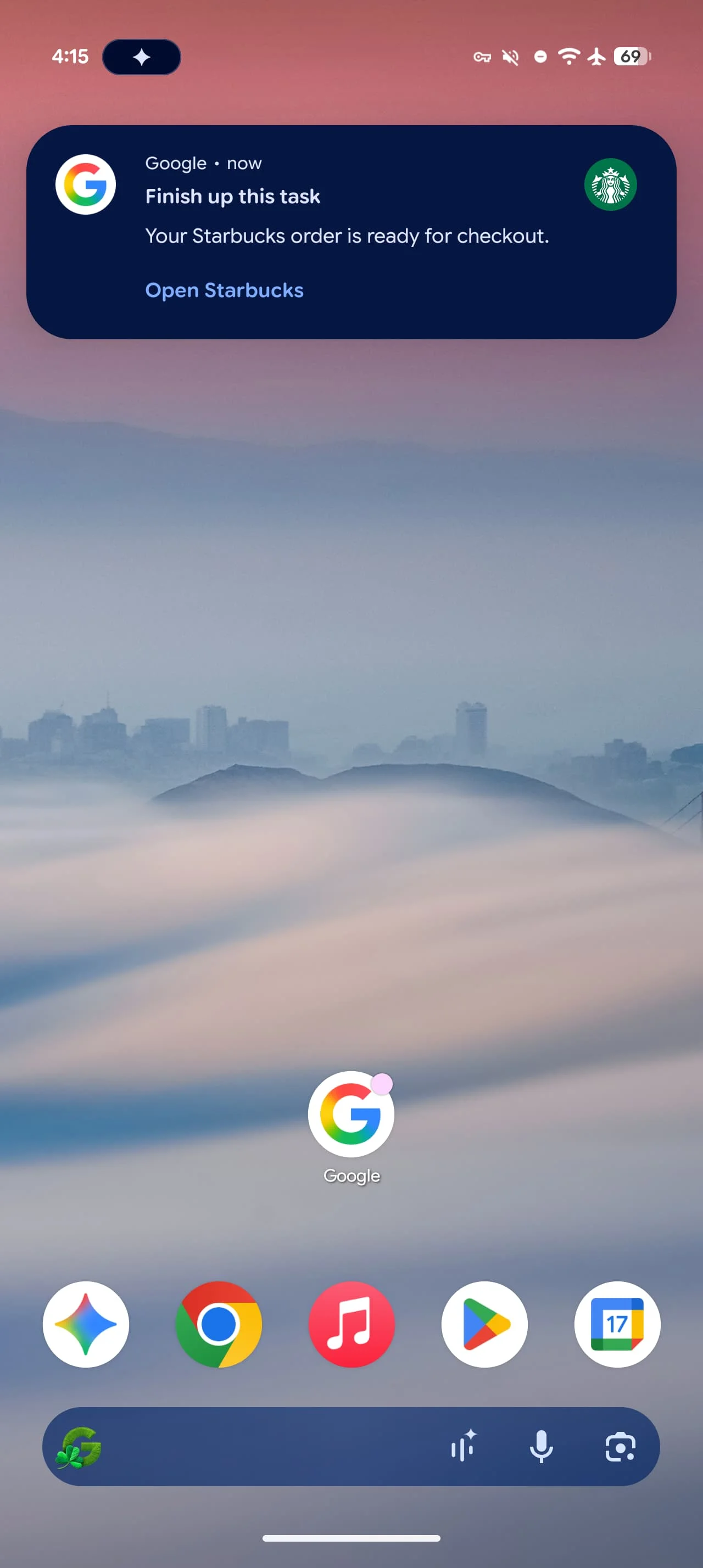
During execution, users see a "Working on this task" card and receive system notifications showing progress. You maintain control throughout with options to view what Gemini is doing in real-time or stop the task entirely. The assistant may ask clarifying questions about store location, drink sizes, or delivery addresses before finalizing any purchase.
The Usage Tier System
Google has implemented daily request limits that vary significantly based on subscription level. Free users get 5 automation requests per day, while AI Plus subscribers receive 12, AI Pro users get 20, and AI Ultra subscribers can make up to 120 requests daily.
These restrictions reveal Google's approach to managing computational costs and server load for what is clearly a resource-intensive feature. The 24x difference between free and Ultra tiers suggests the company expects power users to emerge quickly—people who might automate their morning coffee order, lunch delivery, evening ride home, and grocery runs all in a single day.
What This Means for App Developers
The arrival of AI-driven automation presents both opportunity and disruption for app developers. On one hand, being included in Gemini's supported app list could drive usage as the friction of opening apps and navigating menus disappears. On the other, it fundamentally changes the user relationship—people may interact with your app without ever seeing your interface, branding, or upsell opportunities.
This shift mirrors what happened when voice assistants first enabled hands-free ordering, but with far greater sophistication. Developers will need to consider how their business models adapt when AI becomes the primary interface layer. Will users discover new menu items if they're simply reordering through voice commands? How do promotional offers reach customers who never open the app?
Privacy and Security Considerations
The "secure virtual window" architecture is Google's answer to legitimate concerns about an AI having access to navigate apps that contain payment information, personal addresses, and purchase history. The cloud-based processing means the heavy lifting happens on Google's servers rather than your device, but it also means your interaction data passes through Google's infrastructure.
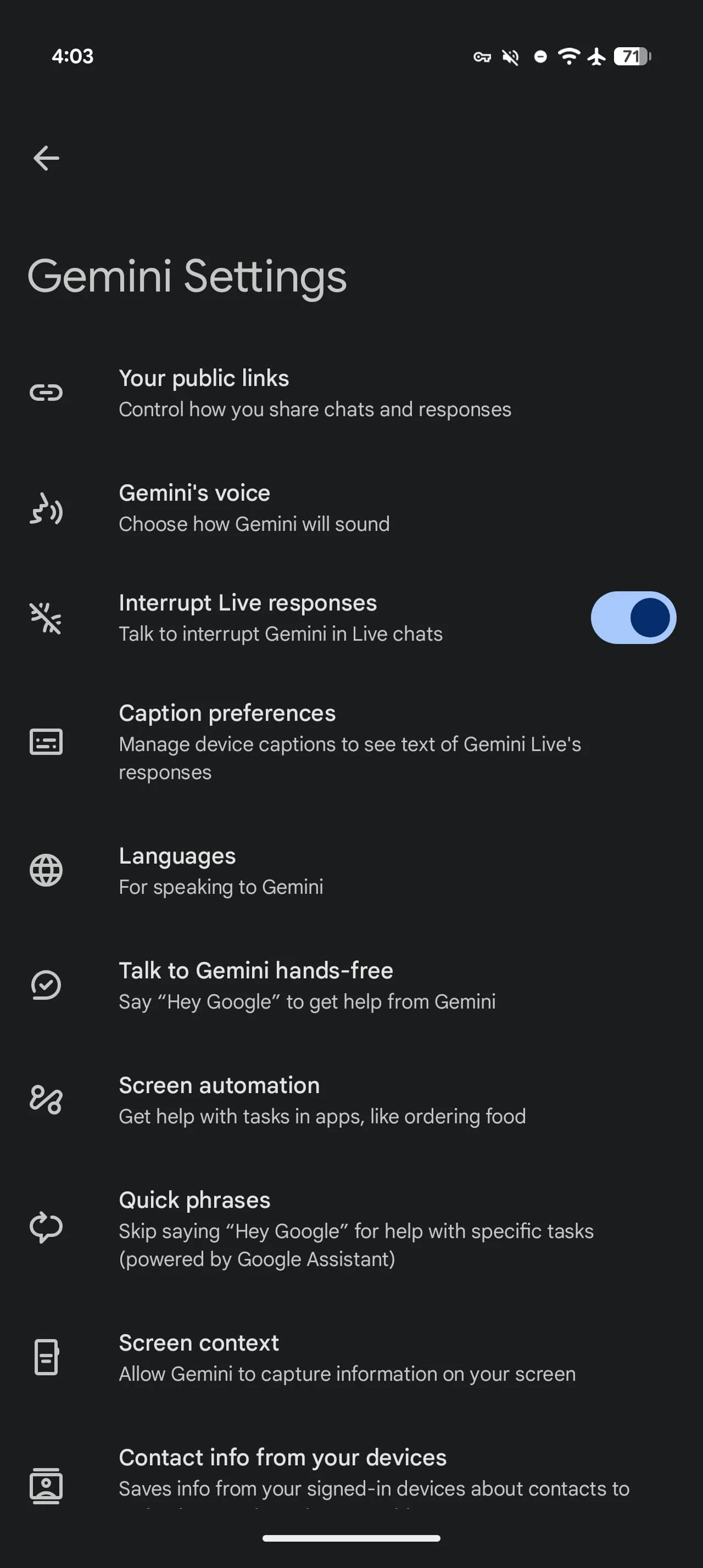
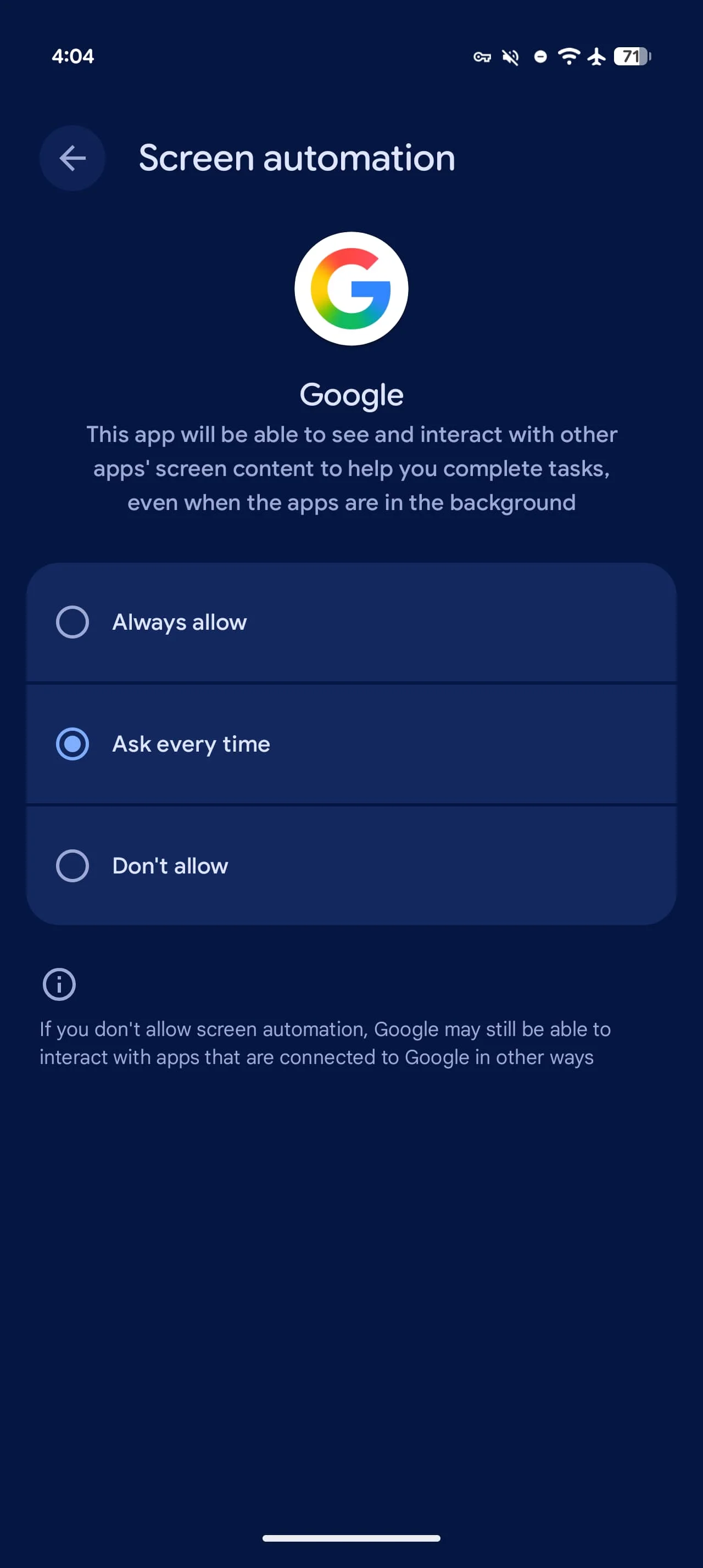
Users must explicitly grant screen automation permission through Gemini app settings, and the system requires agreement to "Get tasks done with Gemini" on first use. The transparency of showing real-time progress and allowing immediate task cancellation provides some user control, but questions remain about what interaction data Google retains and how it might be used to train future models.
Rollout Details and Device Compatibility
The feature is currently rolling out to Pixel 10, Pixel 10 Pro, and Pixel 10 Pro XL devices running Android 16 QPR3 (March 2026) in the United States. Interestingly, reports indicate the setting also appears on Pixel 10 Pro Fold devices, despite that model not being on Google's official compatibility list—suggesting broader device support may be coming.
The staggered rollout strategy, starting with Samsung's flagship before reaching Google's own hardware, indicates a cautious approach to deployment. Google likely wants to gather usage data and identify edge cases across different Android implementations before expanding availability.
Where This Technology Heads Next
Screen automation represents just the beginning of agentic AI—systems that can complete multi-step tasks autonomously rather than simply responding to queries. The current implementation focuses on consumer services with relatively standardized interfaces and workflows. The natural progression would expand to productivity apps, travel booking, appointment scheduling, and eventually more complex tasks requiring decision-making across multiple apps.
The daily usage limits suggest Google anticipates rapid adoption once users experience the convenience of delegating routine tasks. As the technology matures and computational costs decrease, these restrictions will likely ease. The real test will be whether the feature proves reliable enough that users trust it with tasks involving money and personal information—and whether the supported app ecosystem expands quickly enough to make automation genuinely useful for daily routines.